
Refog Employee Monitor is a Windows-based employee monitoring solution for businesses of all sizes. It tracks keystrokes, applications, websites, chats, and captures screenshots — delivering detailed activity reports via a cloud dashboard. Designed for HR, IT, and management teams who need to boost productivity and prevent data leaks without disrupting workflows. Refog is built for disclosed, consent-based monitoring on company-owned devices: tell your staff it is in place and apply it to the equipment your business owns. Try free for 30 days.
Empower Your Team with Advanced Employee Computer Monitoring Software
Boost Productivity, Protect Data, and Foster Trust with Ethical Monitoring Solutions
Are you losing up to 30% of your team’s working hours to mindless internet browsing? Worried about sensitive data slipping through the cracks? In today’s fast-paced business world, finding a balance between oversight and trust is essential. That’s where Refog Employee Monitor steps in—a powerful, ethical, and easy-to-use solution built to improve workplace efficiency, secure your business, and maintain a positive team environment. This advanced employee computer monitoring software provides the tools you need to optimize operations without overstepping boundaries.
Why Your Business Needs Employee Monitoring Software
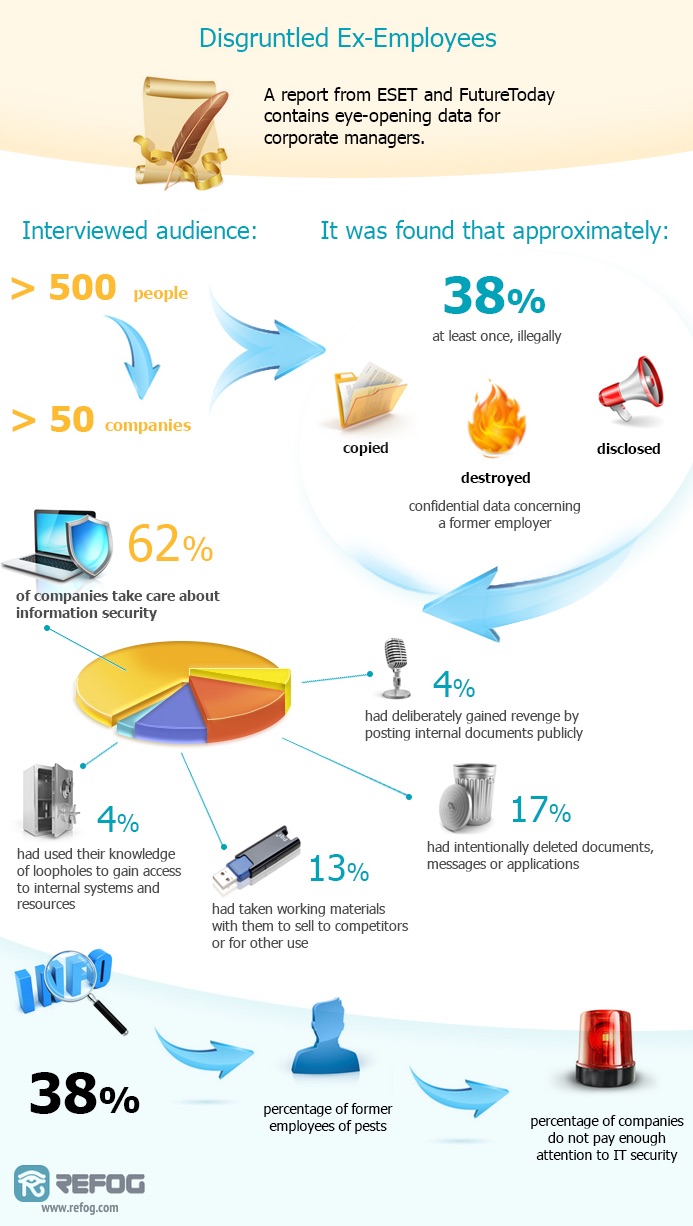
Modern workplaces face real challenges: distracted employees, inefficient workflows, and growing cybersecurity risks. Research shows employees can spend up to two hours daily on non-work activities like social media or personal emails. At the same time, data breaches—whether intentional or accidental—are a serious threat, with 60% of small businesses closing within six months of a major breach.
Refog Employee Monitor tackles these issues directly. It’s more than just computer monitoring software—it’s a strategic tool that helps managers increase productivity, protect sensitive information, and encourage accountability. Let’s explore how it works and why it’s a game-changer for businesses of all sizes.
Key Benefits of Refog Employee Monitor
Skyrocketing Productivity with Precision Tracking
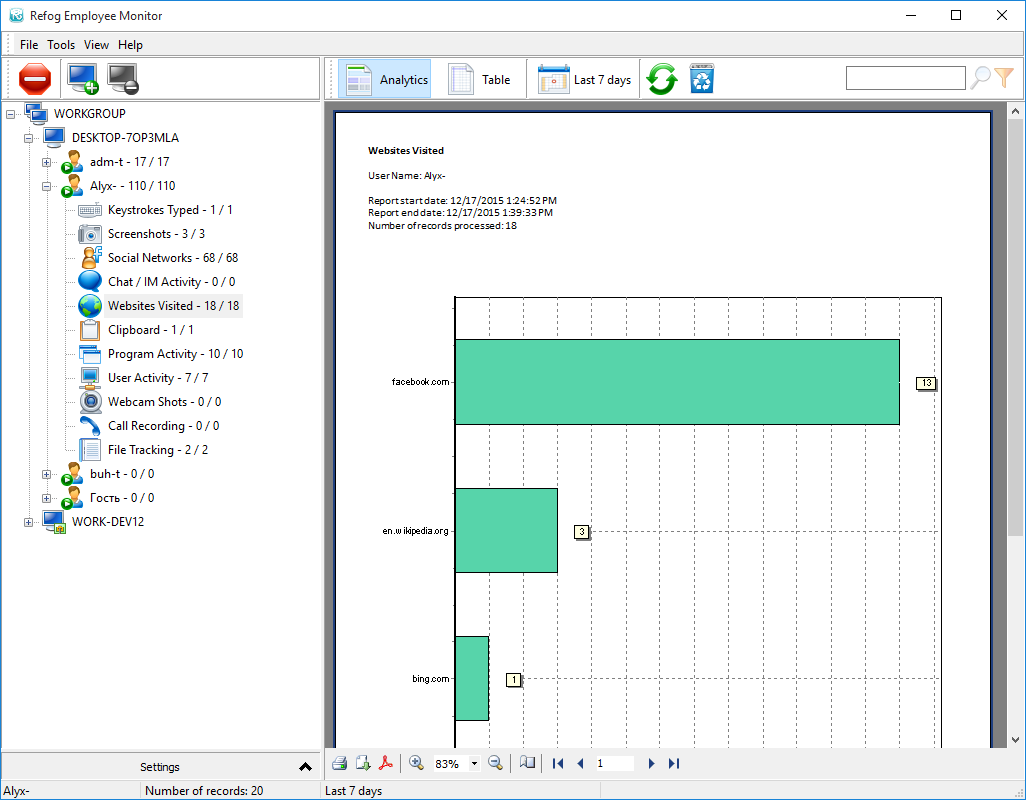
Refog is a comprehensive productivity tracking software solution. It monitors application usage, website visits, and keystrokes, offering a clear picture of how your team spends their time. For example, if employees are averaging 90 minutes a day on YouTube or Instagram, Refog’s detailed reports will reveal it.
What makes it unique? It runs in the background without slowing the machine down, so disclosed monitoring never interrupts your team’s workflows. Managers can use these insights to refocus efforts, set better goals, and boost output. With Refog, you don’t guess who’s working—you know.
Ironclad Data Security for Peace of Mind
In today’s world of remote work and digital collaboration, protecting data is critical. Refog helps detect potential security threats, like unauthorized file transfers or suspicious messaging activity, through its robust computer monitoring features. For instance, if an employee attempts to upload a client database to an unsecured cloud service, Refog’s logs allow you to identify the issue and address it promptly.
This isn’t about micromanaging—it’s about staying proactive. Whether safeguarding trade secrets or meeting industry regulations, Refog keeps your data under control.
Building Trust Through Transparency
Monitoring doesn’t have to feel intrusive. Refog promotes accountability while respecting boundaries. Employees aware of tracking tend to stay more focused—studies show a 20% increase in discipline when monitoring is open. Refog takes it further by letting you customize settings, such as skipping personal activities after hours.
This approach shows your team that you value their privacy as much as their performance. It’s a win-win: a focused workforce and a culture of trust.
What Makes Refog Stand Out from Other Monitoring Tools?
With so many computer monitoring software options available, why choose Refog? It’s designed with flexibility, ethics, and simplicity in mind. Unlike some tools that take a rigid approach, Refog lets you adjust monitoring to fit your needs. Want to track only during work hours? Done. Need to exclude certain apps? Easy.
Refog also offers cloud-based report storage, so you can check in from anywhere—whether you’re in the office or on the go. Its user-friendly dashboard is simple to navigate, even for those new to tech. Compared to clunky alternatives that demand hours of setup, Refog stands out as the smarter choice.
Real-World Results: Success Stories with Refog
Businesses worldwide are seeing Refog’s impact in action.
-
Case Study 1: California IT Firm
A mid-sized IT agency faced project delays. After using Refog, they found employees were spending 25% of their day on non-work sites. With targeted policies based on Refog’s insights, they reduced downtime by nearly a third in just 30 days. -
Case Study 2: London Startup
A growing tech startup avoided a crisis when Refog’s logs showed an employee downloading sensitive client data to a personal drive. The team spotted the activity in the report and resolved it before any harm was done.
These real examples prove Refog delivers tangible results.
Seamless Setup and Customization
Concerned about a tricky installation? Refog gets you started in minutes. The process is simple—download, install, and configure. No advanced tech skills needed.
Once running, Refog adapts to your business. Adjust monitoring levels to match your privacy policies, integrate with existing tools, or set custom alerts for specific activities. It’s employee monitoring software that works on your terms.
How Refog Fits Into Your Business Strategy
Refog is more than a tool—it’s a partner in creating a smarter, safer, and more efficient workplace. Here’s how it supports common goals:
- For HR Teams: Identify performance trends and training needs.
- For IT Departments: Ensure compliance with security protocols.
- For Executives: Gain insights to guide decisions.
Whether you oversee a remote team of 10 or an office of 100 — or a shared Windows Terminal Server or Citrix deployment — Refog scales effortlessly. Plus, with a free trial, you can experience its benefits risk-free.
Ready to Transform Your Workplace?
Don’t let wasted time or data risks slow your business down. Refog Employee Monitor blends cutting-edge activity monitoring software with an ethical approach to keep your team productive and your data secure. Download the free trial today or reach out to our experts to learn how Refog can work for you.
Take control, build trust, and unlock your team’s potential with Refog—because your business deserves the best.


